The short answer
Intermittent beeping from a burglar alarm keypad is almost always a fault warning. The most common causes are a low or failed backup battery in the control panel, a power cut, a low battery in a wireless sensor or keyfob, and a tamper. The keypad usually tells you which.
Entering your user code normally silences the beeping for now. It comes back until the cause is fixed.
Start with the keypad
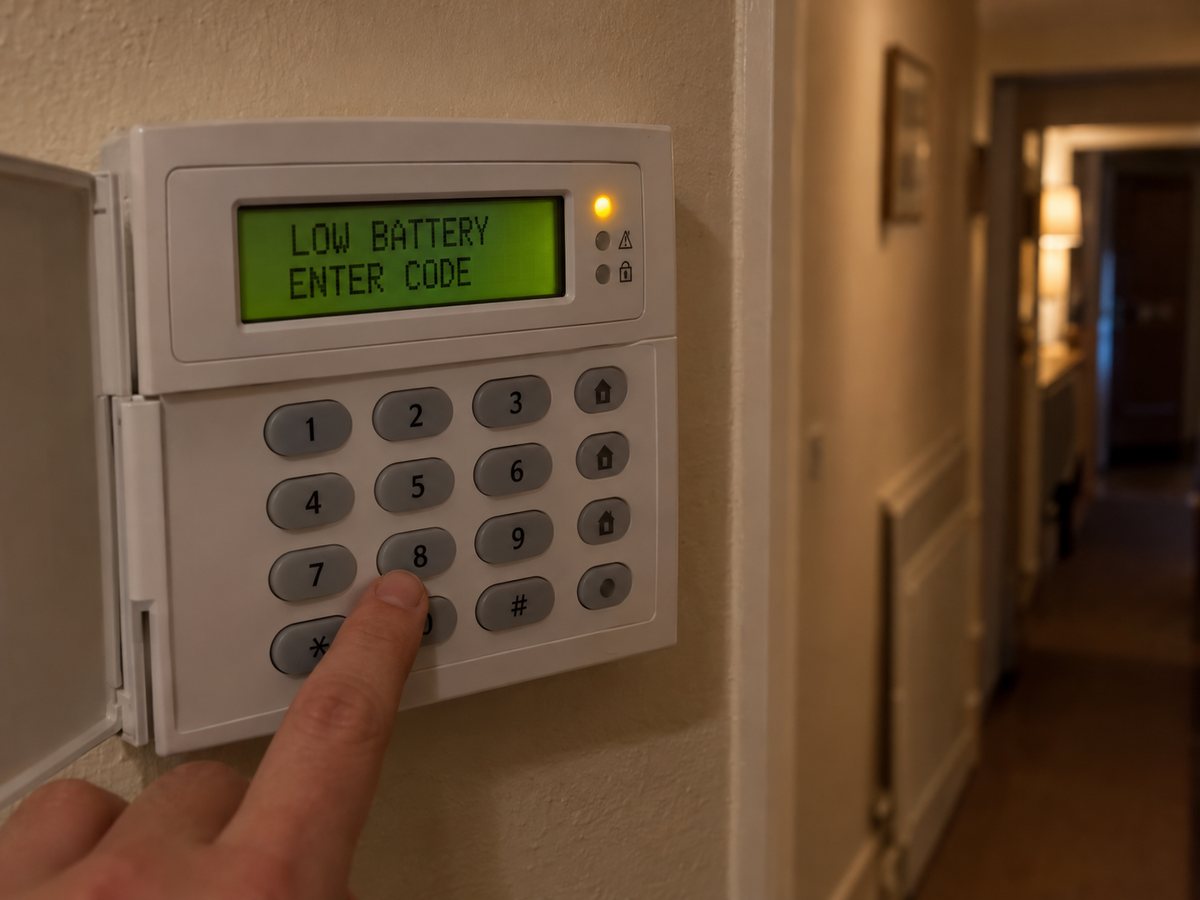
Before anything else, look at the keypad. Keypads with a screen usually show a message, such as a battery, power, tamper or fault warning, often naming the zone or device involved. Keypads without a screen use lights instead: a lit or flashing fault, power or tamper light points to the type of problem, and the user guide for your alarm explains the pattern.
Write down exactly what it says, or take a photo. It is the most useful thing you can tell an engineer, and it often means the right part arrives on the first visit.
Not every beep is a fault. A short beep when a door opens is usually the door chime, which most systems let you switch off from the keypad. A steady beep while you are setting or unsetting the alarm is the exit or entry timer counting down.
Common causes and what to do
The exact wording varies from one make of alarm to another, but almost every panel reports the same handful of faults.
Low or failed panel battery
What you see: a battery or low battery message, and beeping that comes back after you silence it.
What to do: The backup battery inside the control panel usually lasts three to five years. Replacing it means opening the panel, so it is an engineer job.
Power cut or mains fault
What you see: a mains, AC or power fault message, starting once the power has been off for a while.
What to do: Check the rest of the house has power and the circuit for the alarm has not tripped. If the power is on and the message stays, call an engineer.
Low battery in a wireless device
What you see: a low battery message naming a zone, sensor, keyfob or keypad.
What to do: Wireless device batteries typically last around two years. Some can be changed by the user, but opening a sensor can trigger a tamper, so check your user guide first.
Tamper
What you see: a tamper message, sometimes with the internal siren sounding.
What to do: Look for a cover that has been opened or knocked, a disturbed cable or a device pulled off the wall. Depending on how the system was programmed, it may need an engineer code to reset.
Wireless signal lost
What you see: a message saying a device is missing or not reporting, sometimes called a supervision fault.
What to do: Often a dead battery, a device that has been moved, or furniture or metal blocking the signal. If it keeps happening, an engineer can test signal strength and reposition it.
Communication fault
What you see: a line, comms or signalling fault on a monitored or app-connected alarm.
What to do: The alarm cannot reach the monitoring centre or the app. Check your broadband, especially after a new router or a Wi-Fi password change. If the alarm is monitored, tell your installer, as a phone line or SIM fault needs them.
Service due
What you see: a service required message, or similar.
What to do: Some installers set a service timer as a reminder that the annual service is due. The alarm normally still works, and the service clears the message.
Date and time lost
What you see: a date or time not set message, often after a power cut.
What to do: Reset the clock from the keypad if your user guide shows how, or ask an engineer to do it at the next visit.
How to stop the beeping
- Enter your user code. On most panels this acknowledges the warning and quietens the keypad.
- Read the message and note it down.
- Fix the cause if it is simple. The power coming back on or a door being shut properly can clear the fault, sometimes after a reset from the keypad.
- Watch whether it comes back. If it does, the fault is still there.
Some panels need an engineer code to reset after a tamper or a full alarm. That is a setting the installer chose, not a fault, and if you do not have the engineer code it needs an engineer visit.
What not to do
- Don't open the control panel or the bell box. On most systems that triggers a tamper, and opening the bell box can set the outside siren off.
- Don't disconnect the backup battery to stop the noise. It leaves the alarm with no protection in a power cut, and many panels report a fault or tamper when you do it.
- Don't cut the wires to the bell box. It has its own battery and will usually sound anyway.
- Don't ignore it for weeks. A panel with a dead battery shuts down the moment the power goes off, which is exactly what someone cutting the supply is counting on.
Beeping after a power cut
Power cuts cause a burst of warnings. While the mains is off, the panel runs on its backup battery and reports a power fault. When the power comes back, the battery may be drained, so the panel can report a low battery for a while as it recharges, and some panels lose their date and time.
If the battery warning clears within a day or so, the battery is fine. If it does not, or the alarm went dead during a short power cut, the battery has reached the end of its life and needs replacing.
Is it the burglar alarm or a smoke alarm?
A single chirp every 30 to 60 seconds from a device on the ceiling is usually a smoke, heat or carbon monoxide alarm with a low battery, not the burglar alarm. Mains-powered smoke alarms have a backup battery too. Find which device the sound is coming from before you start entering codes.
When to call an engineer
- The beeping comes back after you enter your code
- The message mentions the panel battery, a tamper or a fault you can't identify
- The keypad asks for an engineer code or an engineer reset
- The alarm or the bell box sounds on its own
- Faults appear every time there is a power cut
- Nobody has serviced the alarm in over a year
A lot of beeping faults are found and fixed at a routine service, before they start. Our guide explains how often a burglar alarm should be serviced and what a service covers.
Alarm beeping in West London?
Ignis Secure is based in Uxbridge and repairs burglar alarms across West London, including systems fitted by other companies. Send a photo of the keypad message to us on WhatsApp so we know what to bring, or see our burglar alarm servicing and repairs page. We have local pages for Uxbridge, Ruislip and Hayes.
Frequently Asked Questions
Why is my burglar alarm beeping every few minutes?
It is almost always a fault warning rather than an intrusion. The usual causes are a low or failed backup battery in the control panel, a power cut, a low battery in a wireless sensor or keyfob, or a tamper. The keypad normally shows which. Entering your user code usually silences it, but it comes back until the cause is fixed.
How do I stop my burglar alarm beeping?
Enter your user code to acknowledge the warning, then read the message on the keypad. If the beeping comes back, the fault is still there and needs fixing at its source. Do not disconnect the battery or open the control panel to stop the noise.
Why is my alarm beeping after a power cut?
While the power was off the panel ran on its backup battery, so it reports a power fault, and afterwards it may show a low battery while it recharges or lose its date and time. If the battery warning clears within a day or so, the battery is fine. If it does not, or the alarm died during a short power cut, the battery needs replacing.
Can I change the alarm battery myself?
The main backup battery sits inside the control panel, and opening the panel usually triggers a tamper, so it is normally a job for an engineer. Batteries in some wireless sensors and keyfobs can be changed by the user, but check your user guide first.
Why does my alarm say service required?
Some installers programme a service timer. When it runs out, the keypad shows a service message to remind you the annual service is due. The alarm normally still works, and the message is cleared when the system is serviced.
Is a beeping alarm still working?
Often, but not always. A service reminder or an early low battery warning usually leaves the alarm working. A failed battery, a tamper or a sensor that has lost its signal can leave part or all of the property unprotected, so do not leave it for weeks.